
Like Widget – Animated "Like / Save / Follow" menu
Animated Fortnite-style menu for UEFN: a cursor clicks Like, Save and Follow. Plug & play, adjustable position, size, sound and avatar. Verse device + textures + sound.
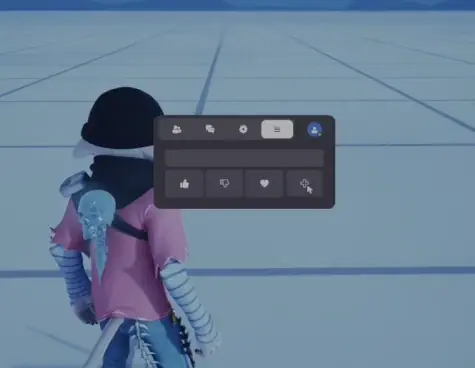
121 Ko
Compatibility
- UEFN
How to use
PACK CONTENTS LikeWidget folder: - like_widget_device.verse: the Verse device - Clik.uasset: the click sound - LW_Icones: panel, buttons, cursor and avatar mask (10 textures) INSTALLATION 1. Close UEFN. 2. Open your project folder: Documents/Fortnite Projects/<YourProject>/Content/ 3. Copy the whole LikeWidget folder into it, without changing its structure. 4. Open the project in UEFN, then click Verse > Build Verse Code. 5. like_widget_device appears in the Content Browser, under Creative Devices. You need the same UEFN version the pack was made with, or a newer one. SETUP 1. Drag like_widget_device into your map. 2. Place a Trigger device and select it in the widget's Trigger field. Recommended trigger settings: turn off "Triggered by Vehicles", "Triggered by Water" and "Triggered by Pulse Trigger". 3. Sound (optional): place an Audio Player and set it up as follows: - Audio: LikeWidget/Clik - Can Be Heard By: Registered Players Only - Play Location: Local Player Then select this Audio Player in the widget's Click Sound field. 4. Avatar (optional): import a square image into UEFN (for example 256 × 256) and select it in the Avatar field. It is cropped into a circle. Leave it empty to keep the default avatar. HOW IT WORKS When a player activates the trigger, the animation plays once, for that player only. If the trigger is activated by another device (no player), the animation plays for every player. During the animation, the player is registered on the Audio Player, then unregistered at the end: only that player hears the clicks. SETTINGS (DETAILS PANEL) Position: - Position: on-screen anchor point (TopLeft, TopCenter, TopRight, CenterLeft, Center, CenterRight, BottomLeft, BottomCenter, BottomRight). - Margin Left / Right / Top / Bottom: distance from the screen edges, in pixels. - Scale: widget size (1.0 = normal, 0.5 = half size, 1.5 = bigger). Sound: - Sound: turns the click sound on or off. - Click Sound: the Audio Player that plays the click. Trigger: - Trigger: the trigger that starts the animation. Avatar: - Avatar: your avatar image (optional, square). Empty = default avatar. TROUBLESHOOTING "Ambiguous identifier ... LW_Icones" error: Your project already has another folder with this name. Rename or delete that other folder, then right-click in the Content Browser > Fix Up Redirectors. Nothing shows up: Check that the Trigger field is filled in and that the trigger is enabled. No sound: Check that Sound is turned on and that the Audio Player uses Clik, with "Can Be Heard By" set to Registered Players Only and "Play Location" set to Local Player. Missing textures: The LW_Icones folder must stay inside LikeWidget, next to the .verse file.
Digital content delivered immediately after payment: you waive the right of withdrawal. Personal licence to use it in your projects; reselling or redistributing the file is forbidden. Terms of Sale